
Page 1 failed to load.
はにわの箱庭 (コイカツ・ダンスクラブはにわ) - 【IOS端末でDiscordのR18コンテンツを表示する方法】How to view R18 content on Discord on iOS devices
 More from はにわの箱庭 (コイカツ・ダンスクラブはにわ)
はにわの箱庭 (コイカツ・ダンスクラブはにわ) - FREE 鷹嶺ルイ(Takane Lui) - V Hololive ホロライブ Takane Lui ゴブリン(goblin)
About This Title
【IOS端末でDiscordのR18コンテンツを表示する方法】How to view R18 content on Discord on iOS devices
https://www.patreon.com/fino_dayoon/posts/iosduan-mo-shi-167538719
ふぃの/fino 様より引用
App Storeの規約やDiscordの仕様により、18歳以上の年齢制限サーバーはiOSアプリから直接参加できない仕様になっています。
参加方法: 成人アカウントであっても、PCやAndroid、またはブラウザ版のDiscordから参加する必要があります。
Due to App Store policies and Discord’s technical specifications, it is not possible to join servers with an 18+ age restriction directly via the iOS app. How to join: Even if you have an adult account, you must join using a PC, an Android device, or the web-based version of Discord.
対処法
ブラウザ版で設定を変更する/Change settings in the browser version
パソコンやスマートフォン(SafariやChromeなどのブラウザ)からDiscordのWeb版にログインします。
Log in to the web version of Discord from your computer or smartphone (using a browser such as Safari or Chrome).
・Discord log in→https://discord.com/login
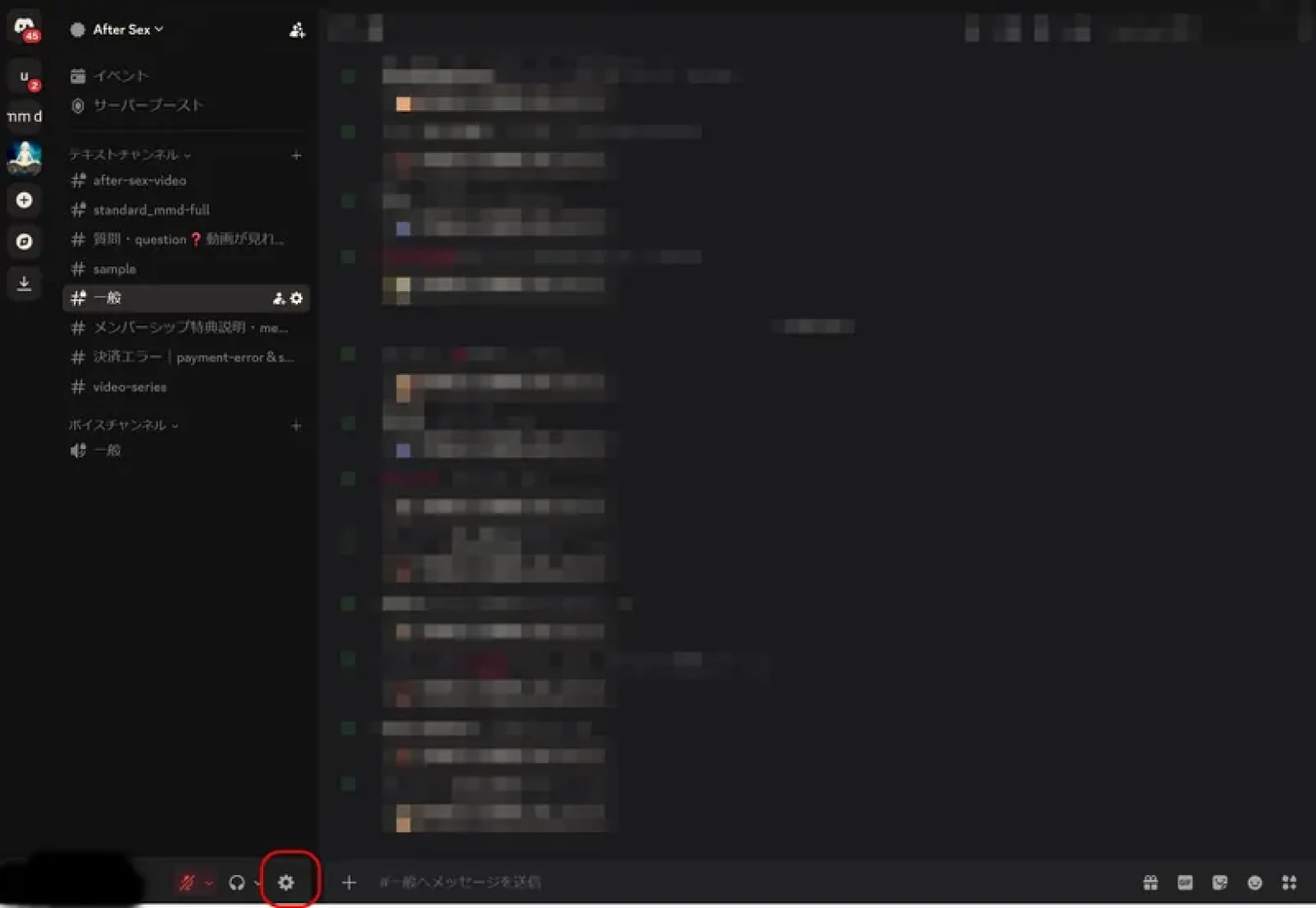
「ユーザー設定」を開きます。
Open "User Settings."
「メッセージの権限」へ進みます。/Proceed to "Message permissions."
「iOSで年齢制限のあるコンテンツへのアクセスを許可する」という項目を有効(オン)にします。/Enable the option "Allow access to age-restricted content on iOS."
アプリの再起動や再ログイン/Restarting or re-logging into the app
設定を変更したあと、iPhoneのDiscordアプリを完全に終了させてから再度起動します。
After changing the settings, completely close the Discord app on your iPhone and then relaunch it.
【IOS端末でDiscordのR18コンテンツを表示する方法】How to view R18 content on Discord on iOS devices
https://www.patreon.com/fino_dayoon/posts/iosduan-mo-shi-167538719
ふぃの/fino 様より引用
App Storeの規約やDiscordの仕様により、18歳以上の年齢制限サーバーはiOSアプリから直接参加できない仕様になっています。
参加方法: 成人アカウントであっても、PCやAndroid、またはブラウザ版のDiscordから参加する必要があります。
Due to App Store policies and Discord’s technical specifications, it is not possible to join servers with an 18+ age restriction directly via the iOS app. How to join: Even if you have an adult account, you must join using a PC, an Android device, or the web-based version of Discord.
対処法
ブラウザ版で設定を変更する/Change settings in the browser version
パソコンやスマートフォン(SafariやChromeなどのブラウザ)からDiscordのWeb版にログインします。
Log in to the web version of Discord from your computer or smartphone (using a browser such as Safari or Chrome).
・Discord log in→https://discord.com/login
「ユーザー設定」を開きます。
Open "User Settings."
「メッセージの権限」へ進みます。/Proceed to "Message permissions."
「iOSで年齢制限のあるコンテンツへのアクセスを許可する」という項目を有効(オン)にします。/Enable the option "Allow access to age-restricted content on iOS."
アプリの再起動や再ログイン/Restarting or re-logging into the app
設定を変更したあと、iPhoneのDiscordアプリを完全に終了させてから再度起動します。
After changing the settings, completely close the Discord app on your iPhone and then relaunch it.

Comments (0)